
Appearance
Get started
Install the weft command, make an app, and open it in a browser and in a window.
Install
curl -fsSL https://weft-lang.dev/install.sh | shThe script picks the build for your system, checks its SHA-256 against the release's SHA256SUMS, and puts it in ~/.weft:
text
~/.weft/bin/weft            the command
~/.weft/bin/weft-desktop    the desktop app (weft run --window)
~/.weft/dist/weft-client/   the browser runtime that served apps load
It changes no shell profile. If ~/.weft/bin isn't on your PATH, it prints the line to add, such as:
sh
echo 'export PATH="$HOME/.weft/bin:$PATH"' >> ~/.bashrc && source ~/.bashrcThen weft --version names the release. Run the script again to update; rm -rf ~/.weft uninstalls.
| system | build |
|---|---|
| Linux x86_64, aarch64 (glibc 2.17 or newer) | weft and weft-desktop |
| Linux with musl (Alpine) | coming |
| macOS, Windows | coming; on Windows, WSL works today |
WEFT_VERSION=<version> installs a given release instead of the latest, and WEFT_HOME=<dir> installs somewhere else.
Make an app
sh
weft new hellotext
  wrote weft.toml
  wrote README.md
  wrote routes/layout.weft
  wrote routes/page.weft
  wrote lib/server/notes.weft
  wrote lib/summary.weft
  wrote components/ui/Button.weft
  …
  wrote theme.weft (the theme: shadcn/ui's neutral theme, as Weft; yours to change)

hello is ready. Next:
  weft dev hello     serves it at http://localhost:3000 and reloads on every change
  weft test hello    runs its tests
A project is a folder with a weft.toml. This one has routes/, so it's an app: its pages come from the file tree (The app framework).
text
hello/
  weft.toml              the project (empty is fine)
  routes/layout.weft     wraps every page
  routes/page.weft       the home page, /
  lib/server/notes.weft  server functions the page calls
  lib/summary.weft       a plain module, with a test
  components/ui/         the registry's components, yours to change
  theme.weft             the theme's colours, radius and fonts, light and dark
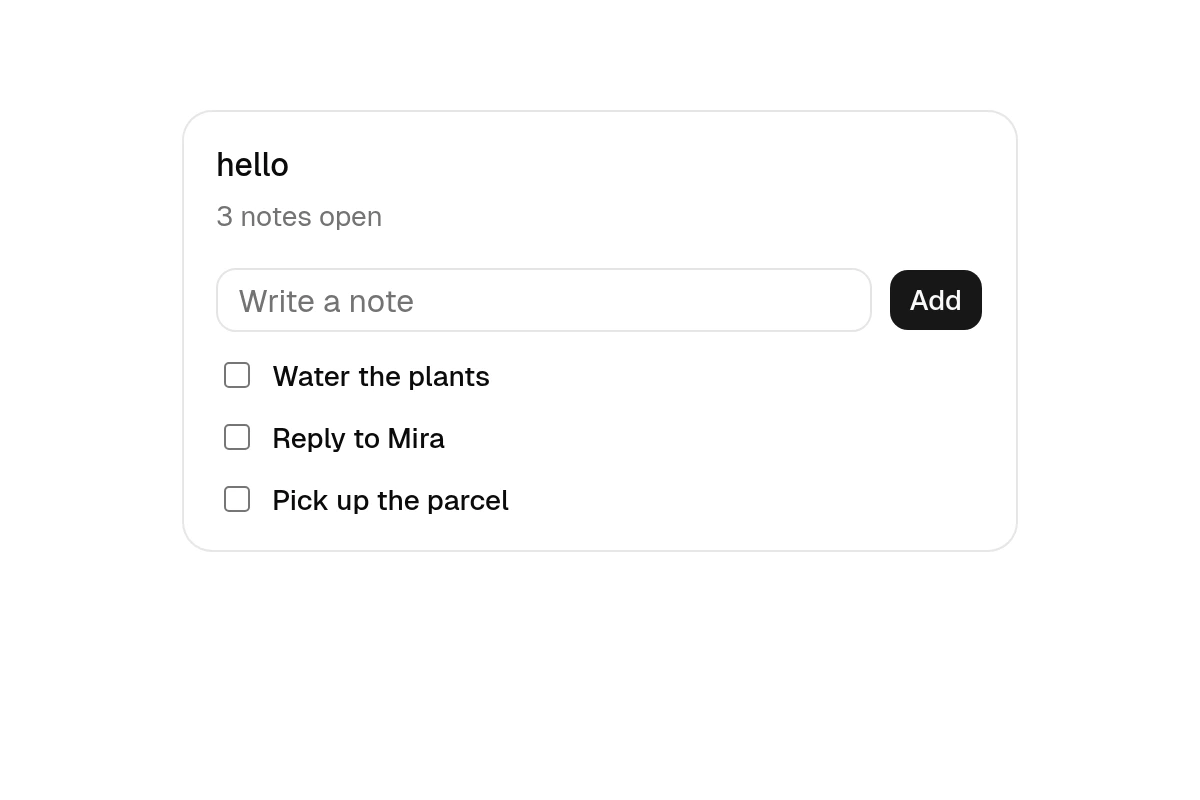
The home page keeps its notes in state and saves them through server functions:
routes/page.weft
weft
// The home page: rendered on the server, then taken over in the browser. Its state is the
// top-level `let mut`s; `derived` values follow them.
import { list, add, toggle } from "lib/server/notes"
import type { Note, NoteText } from "lib/server/notes"
import { summary } from "lib/summary"
page({ label: "hello" })

let mut notes: Note[] = []
let mut draft = ""
let mut problem = ""
derived open = notes.count(n => !n.done)

async fn submit() {
  let text, bad = try draft as NoteText
  if bad != null {
    problem = "A note is 1 to 200 characters."
    return
  }
  let next, err = try await add(text)
  if err != null {
    problem = err.message
    return
  }
  notes = next
  draft = ""
  problem = ""
}

async fn flip(id: string) {
  notes = try await toggle(id) else notes
}

notes = try await list() else []
---
<Card>
  <CardHeader>
    <CardTitle>hello</CardTitle>
    <CardDescription>{summary(open, notes.length)}</CardDescription>
  </CardHeader>
  <CardContent className="flex flex-col gap-3">
    <Box class="flex gap-2">
      <Input bind:value={draft} onsubmit={submit} placeholder="Write a note" testId="draft" />
      <Button onpress={submit} testId="add">Add</Button>
    </Box>
    @if problem != "" {
      <Text class="text-sm text-destructive">{problem}</Text>
    }
    @for note of notes key note.id {
      <Checkbox checked={note.done} label={note.text} onchange={() => flip(note.id)} />
    }
  </CardContent>
</Card>
lib/server/notes.weft
weft
// The notes, on the server. They live in its memory while it runs, which is an `action fn`'s to
// change; `std/db` keeps them for good, with `query fn` and `mutation fn`
// (https://weft-lang.dev/guide/recipes/live-list).
import { uuid } from "std/random"

export type Note = { id: string, text: string, done: boolean }

/// A note's text. The server checks it again when a call arrives.
export type NoteText = string where it.trim() != "" && it.length <= 200

let mut notes: Note[] = []

export action fn list(): Note[] {
  return notes
}

export action fn add(text: NoteText): Note[] {
  notes.push(Note { id: uuid(), text: text.trim(), done: false })
  return notes
}

export action fn toggle(id: string): Note[] {
  for mut note of notes {
    if note.id == id { note.done = !note.done }
  }
  return notes
}
lib/summary.weft
weft
// A plain module: what the page says under its list. `weft test` runs the test below.
import { plural } from "std/format"
import { assertEq } from "std/testing"

export fn summary(open: number, all: number): string {
  if all == 0 { return "Nothing yet" }
  if open == 0 { return "All done" }
  return `${plural(open, "note")} open`
}

test "the summary counts open notes" {
  assertEq(summary(0, 0), "Nothing yet")
  assertEq(summary(2, 3), "2 notes open")
  assertEq(summary(0, 3), "All done")
}
add takes a NoteText, a validating type: the page converts the draft with as, which fails with a CastError when the text is empty or too long, and the server checks it again when the call arrives. A server function called from the page can fail with a NetworkError (no connection, or the server refusing the text). submit is a handler, so it handles both errors itself, with two bindings, and shows them in problem; the page's top level falls back to an empty list with try … else.
Run it
sh
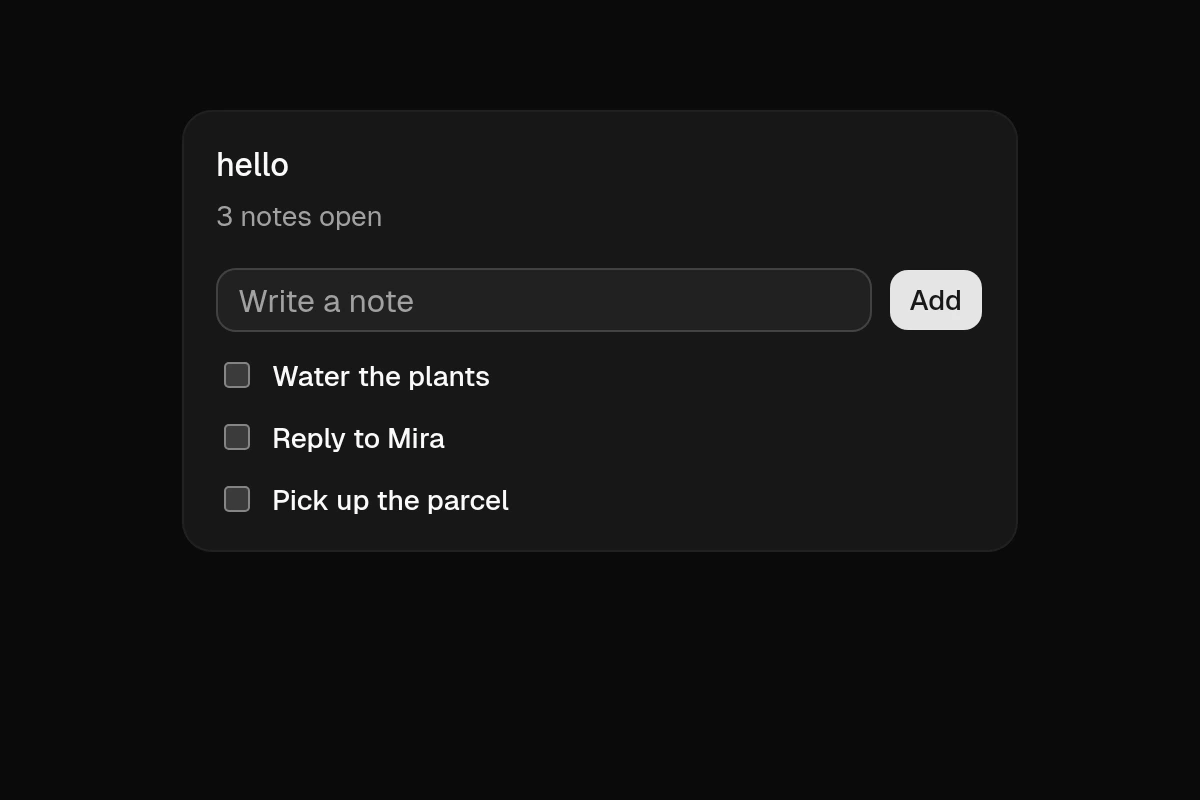
weft dev helloOpen http://localhost:3000. The server renders the page, then the browser takes it over; saving a file reloads it. PORT=8080 weft dev hello serves another port, and weft run hello serves it without watching.
Check and test
sh
weft check hello    # type-check every file; nothing printed means no problems
weft test hello     # run the test blocks on the VM's test host
text
ok    lib/summary.weft:11: the summary counts open notes
1 passed, 0 failed
weft fmt hello formats every file. weft codes lists every diagnostic the compiler can give, with what it means.
Add components
sh
weft component list            # what the registry has
weft component dialog switch   # copied into components/ui/, yours to change
A component under components/ is used by its file name, with no import (UI components).
Open it in a window
sh
weft dev hello --windowThe same pages, in Weft's desktop app: run by the Rust VM and drawn by its own GPU renderer, with no browser (The desktop app).
Where next
- Overview: how the guide is laid out, and Weft for TypeScript programmers.
- Recipes: forms, live data, signing in, endpoints, windows and user-editable pages.
- The reference: the specification itself.
Editors can highlight Weft with the TextMate grammar this site uses, editors/weft.tmLanguage.json in the repository, or with its Tree-sitter grammar, editors/tree-sitter-weft (Neovim, Helix and Zed; its README says how).